
Diagnose clearly
See likely causes, the evidence behind them, and what remains uncertain.
Identify a plant, check its health, and follow a practical care plan. Keep a record of what you did and how your plant responds.


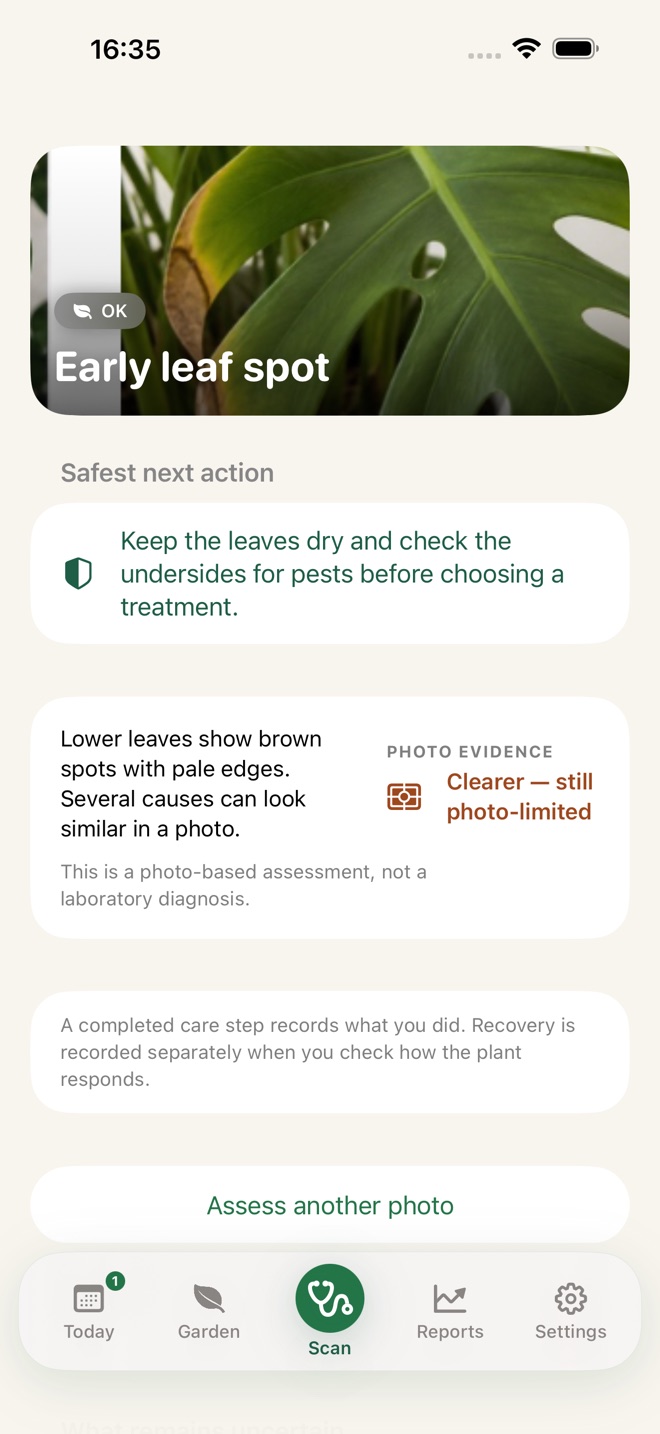
Plant recognition tells you what you’re looking at. GardenIQ helps you carry out a care plan—one scheduled action at a time.
See likely causes, the evidence behind them, and what remains uncertain.
Give every treatment step its own date and time, then start the whole plan at once.
Today brings together care tasks and follow-up checks, so you can record both your actions and how the plant responds.
Photograph a struggling plant, explore the likely causes, and turn the recommended treatment into timed actions you can actually finish.
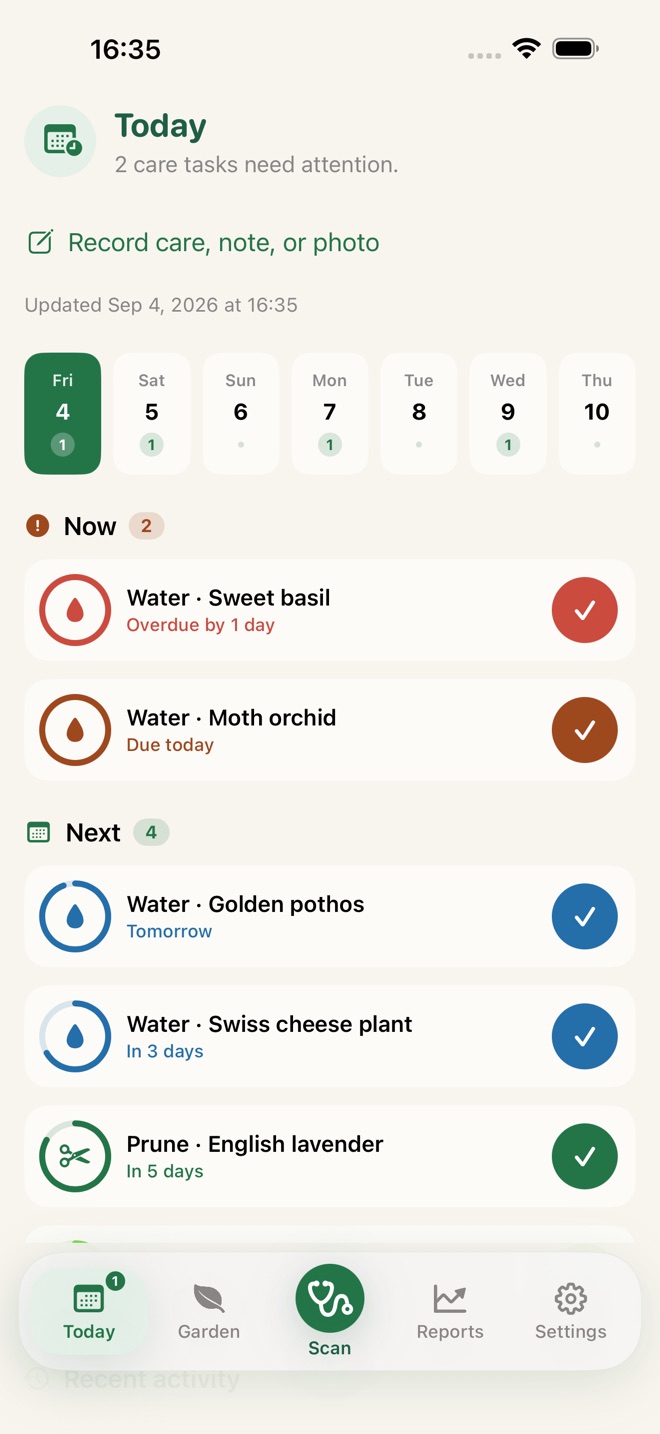
Watering, pruning, and scheduled treatment steps come together in one daily view. Complete a task and GardenIQ keeps the rest of the plan on track.
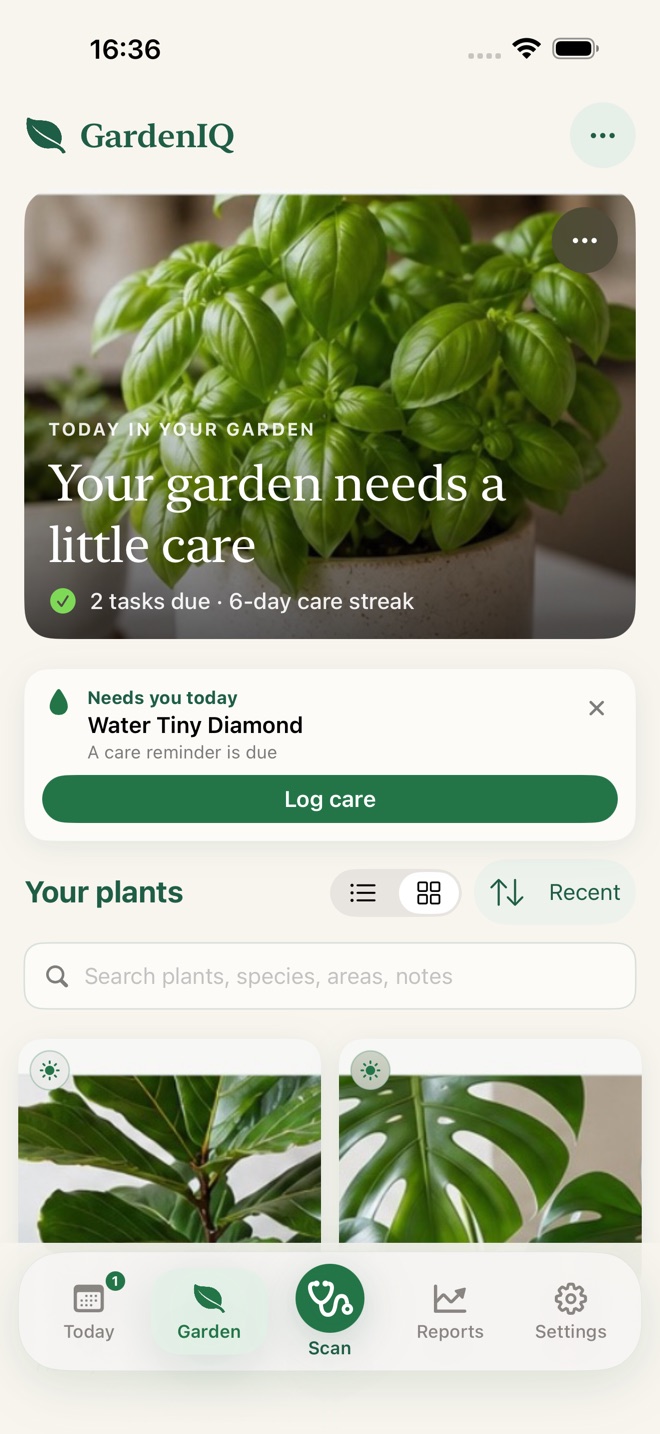
Every plant, area, and favorite in one searchable library. Group plants by where they grow, star the ones that matter, and find anything by name, species, or note.
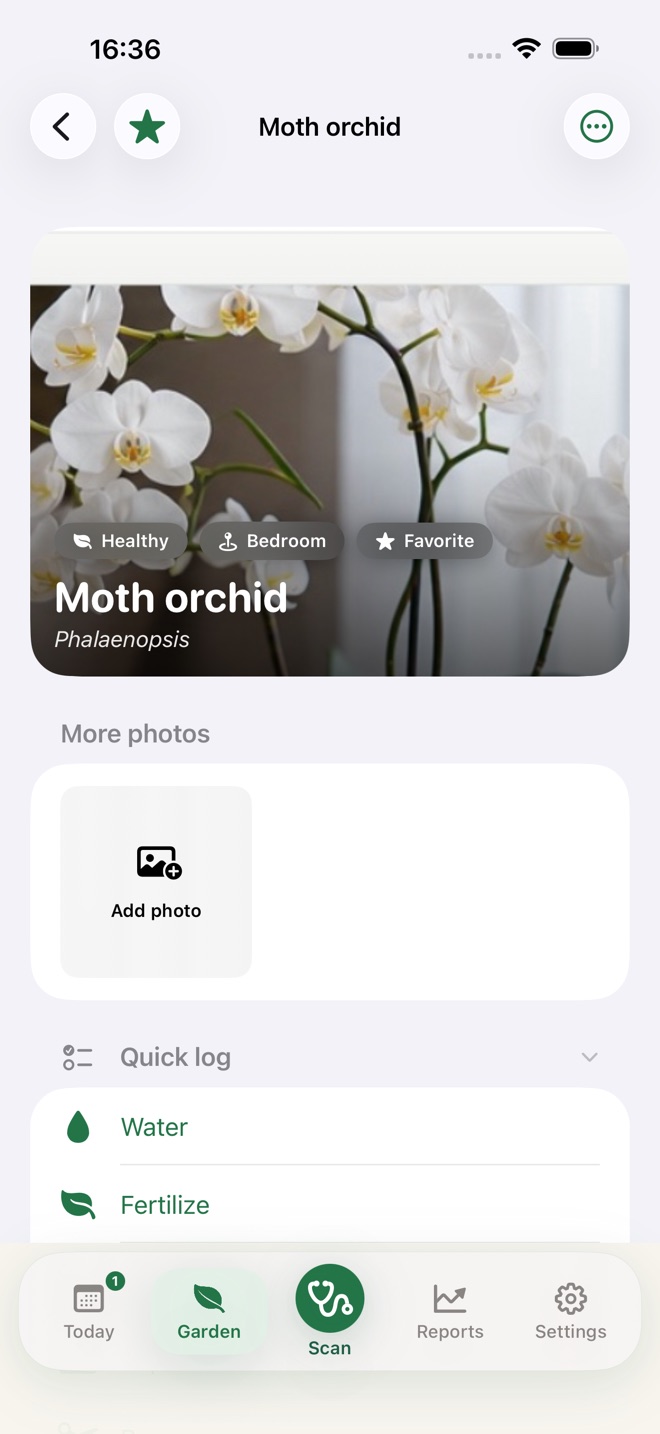
Care stats, reminders, photos, and health history in one place. Watch your Moth orchid grow — one quick log at a time.
Every identification comes back with practical, specific guidance — not a wall of text. Here’s what GardenIQ returns for a Swiss cheese plant.
GardenIQ closes the loop: observe the plant, plan its care, and check progress.
Photograph the struggling plant to see likely causes, visible evidence, and a safe next action.
Review the recommended steps, set the date and time for each one, and start the plan.
Follow each notification back to the plan, record the action, and check whether your plant improves.
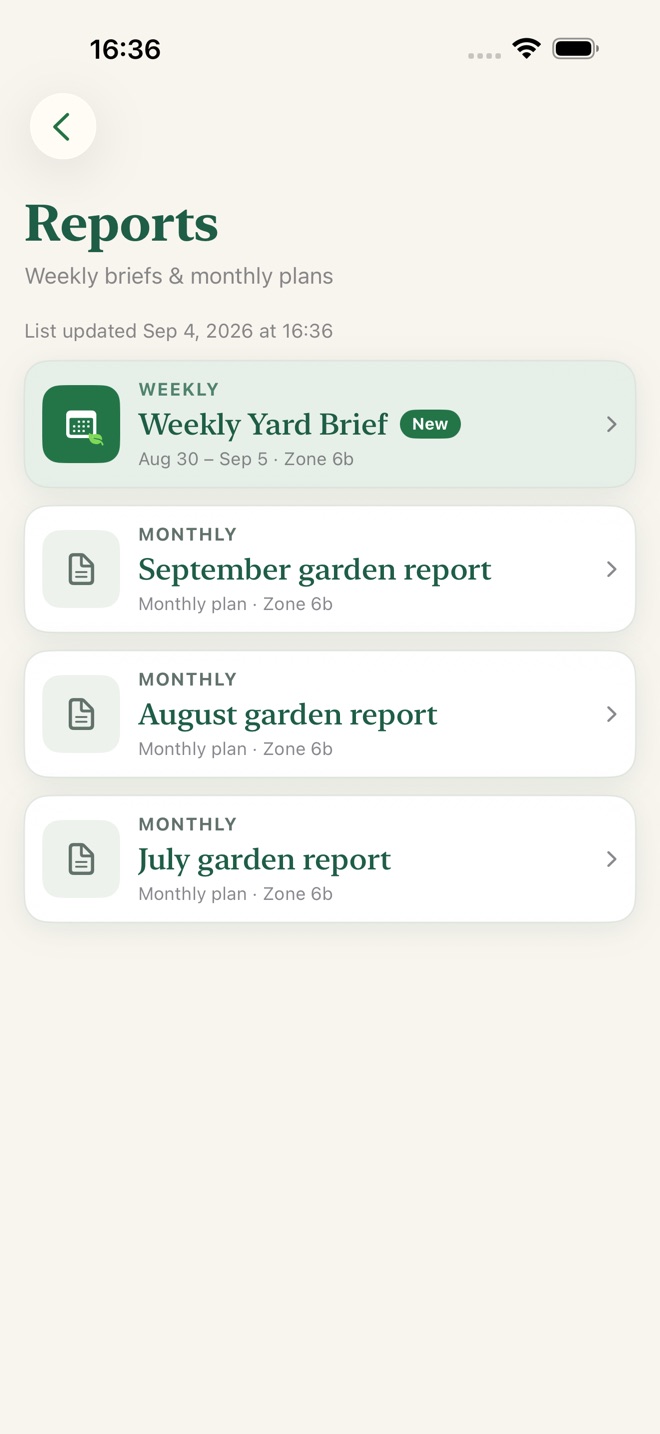
GardenIQ is $2.99 on the App Store and free on Google Play. Both downloads include identification, diagnoses, treatment plans, reminders, and monthly garden reports.
Turn the next sick-plant photo into a treatment plan you’ll actually finish. Full GardenIQ: $2.99 on the App Store or free on Google Play.
You can try identification and health assessment before signing in. An account keeps your saved garden connected across devices.
No. Photos can suggest likely causes, but several conditions look alike. Start with the observations and low-risk care steps, then check progress. Completing a treatment step does not mean the plant has recovered.
Previously loaded garden information may be available offline. Identification, health assessments, reports, and account syncing need a connection. Availability of locally saved information depends on your app version and device.
This website introduces the product. Your garden and care tools are in the iOS and Android apps.
The full iOS app is $2.99 and Android is free. There is no feature subscription. Your store shows the current local price.
Use the account controls in the app to export your records or delete your account. Exports contain records and photo references; they are not a restorable backup of all photo files. See the privacy policy for details.